– Service Design, Strategic Design, Social Innovation, System Design, UI & UX Design,
New York Public Library Service Design Project
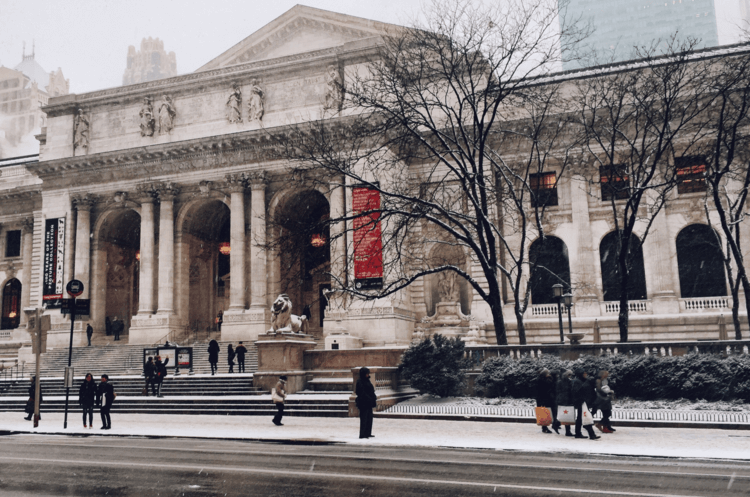
This project was for our Service Design class taught by Marshall Sitten (CitiBank), and our assignment was to pick any service, immerse ourselves in it, and imagine a way to improve the service. Visitors to the New York Public Library first enter a beautiful space with a daunting amount of information, places to see, and a wayfinding system that can be very confusing. Our goal was to imagine a way to help visitors find their way through space while learning throughout the experience.
3 mons.
Secondary & Primary Research, Interviewer, UI & UX Design, Project Ideation, UI Design and Field study
Kaitlin Carano and Hao Xian
Service & Experience Design
“In all, this represented the best qualities of the projects I see in this class. Thorough research, excellent attention to detail, adherence to the methodology and creative insights. Well done all.”
“ I didn’t know what to do when I first came to New York Public Library!”
.png)
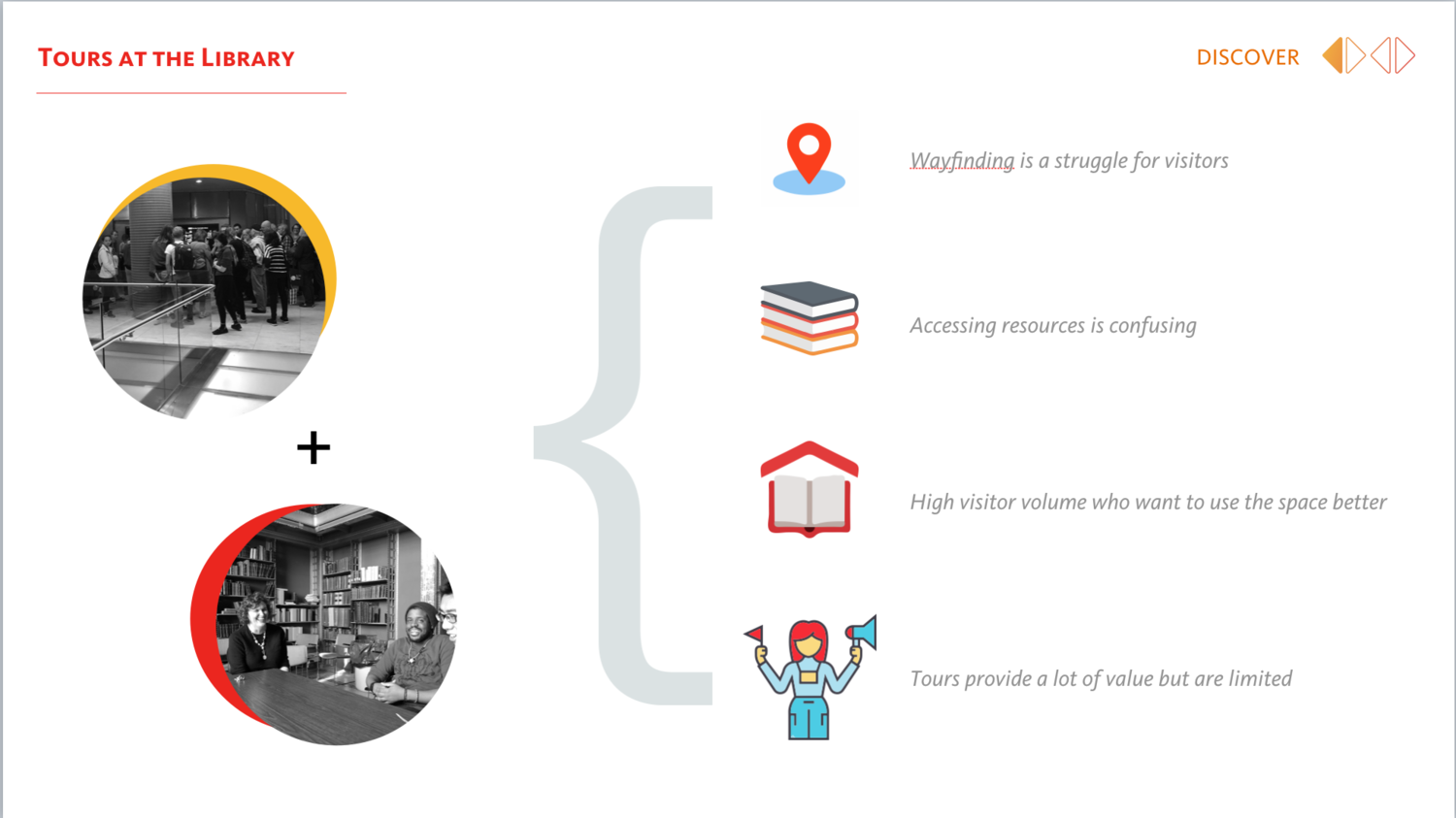
The New York Public Library is full of incredible history and resources. However, in our field research we noticed a common theme of new visitors struggling to find their way, even with the large wayfinding maps/signs. We observed visitors walking to the map or the information desk to try to figure out where they wanted to go. Those who wanted more guidance often relied on tours for more information and navigation. The tours offered by the library are over an hour long and only available twice a day.
We had some inquiry interviews with various library visitors. We observe how NYPL function day to day; visitors still rely a lot on human guide, which means the description website of NYPL and local signage are not working. After several interviews, we analyze the pain points of library visitors.
These problems resulted from:
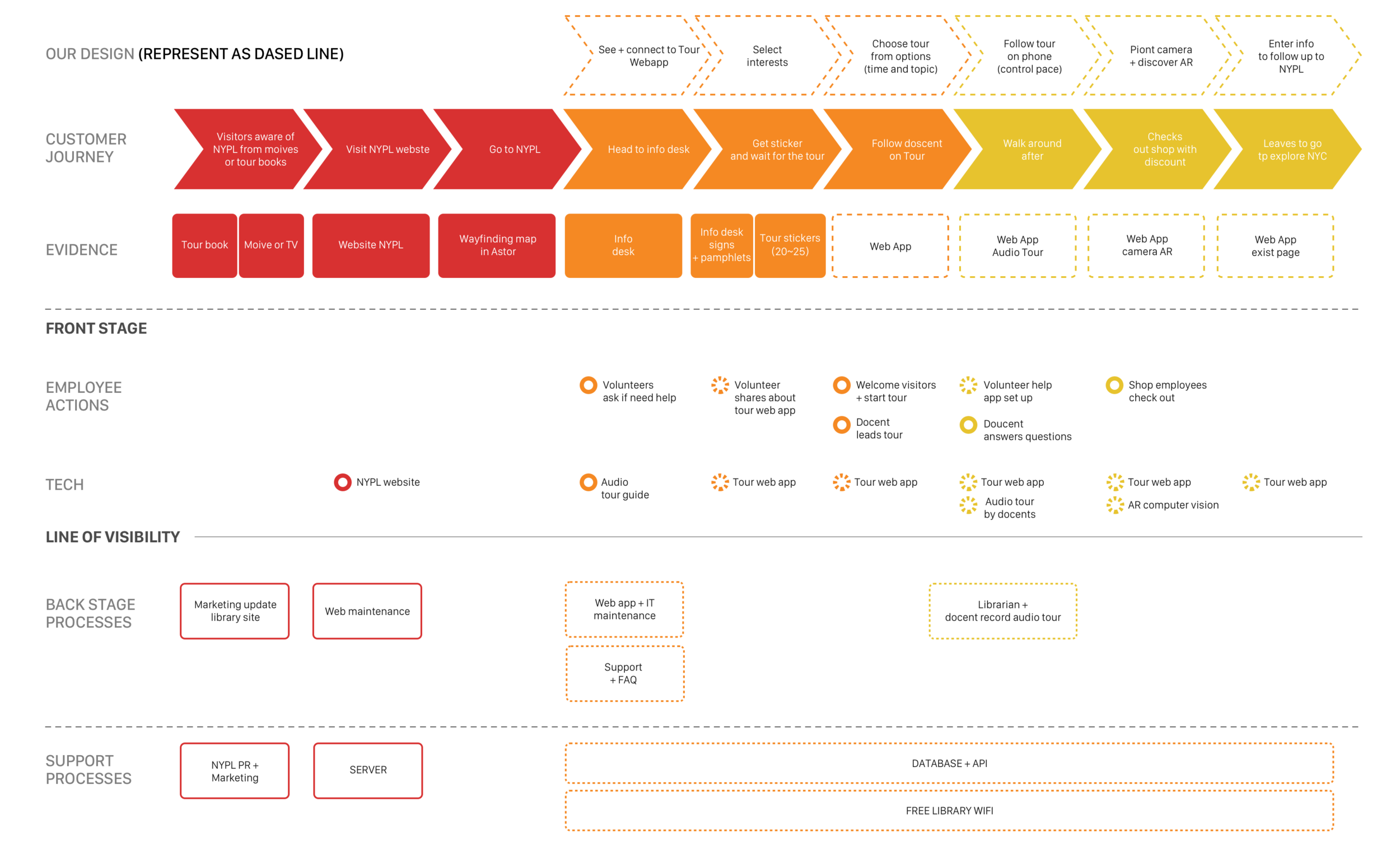
Based on the current user journey, our team wants to improve the ease with which new visitors can engage with the library. Our goal is to make it easier for visitors to explore the library and learn how to access the resources available to them.
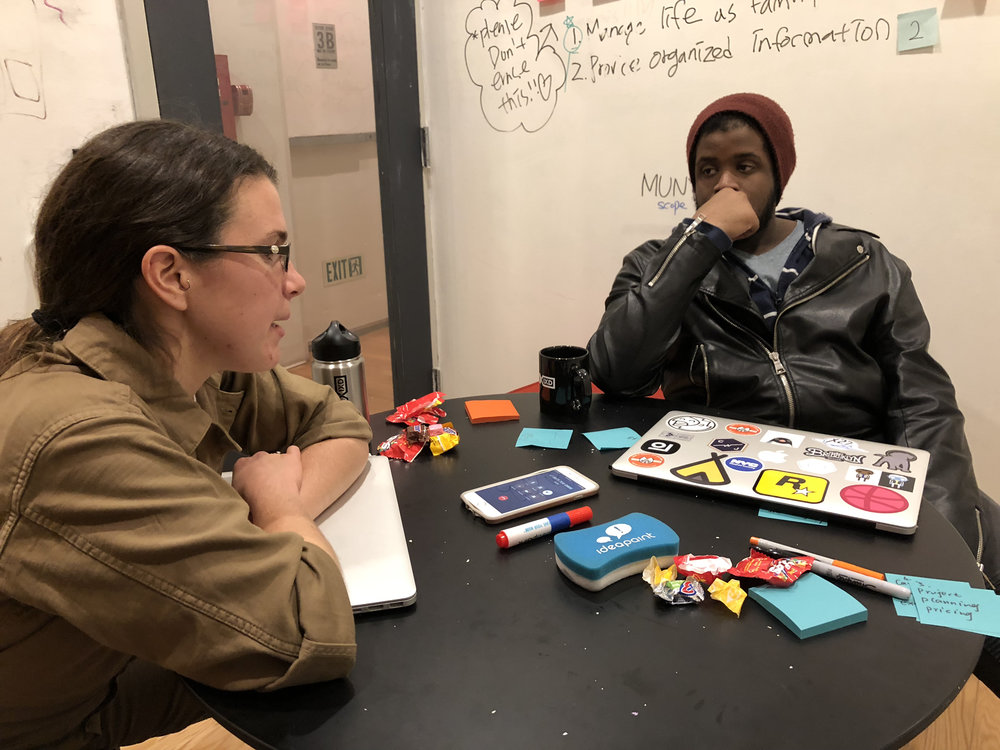
We analyzed the current info and stakeholders and scheduled an interview with an NYPL librarian to understand better how NYPL works.
After preliminary user research, we met with Michelle Misner, a librarian who is in charge of access and operations.
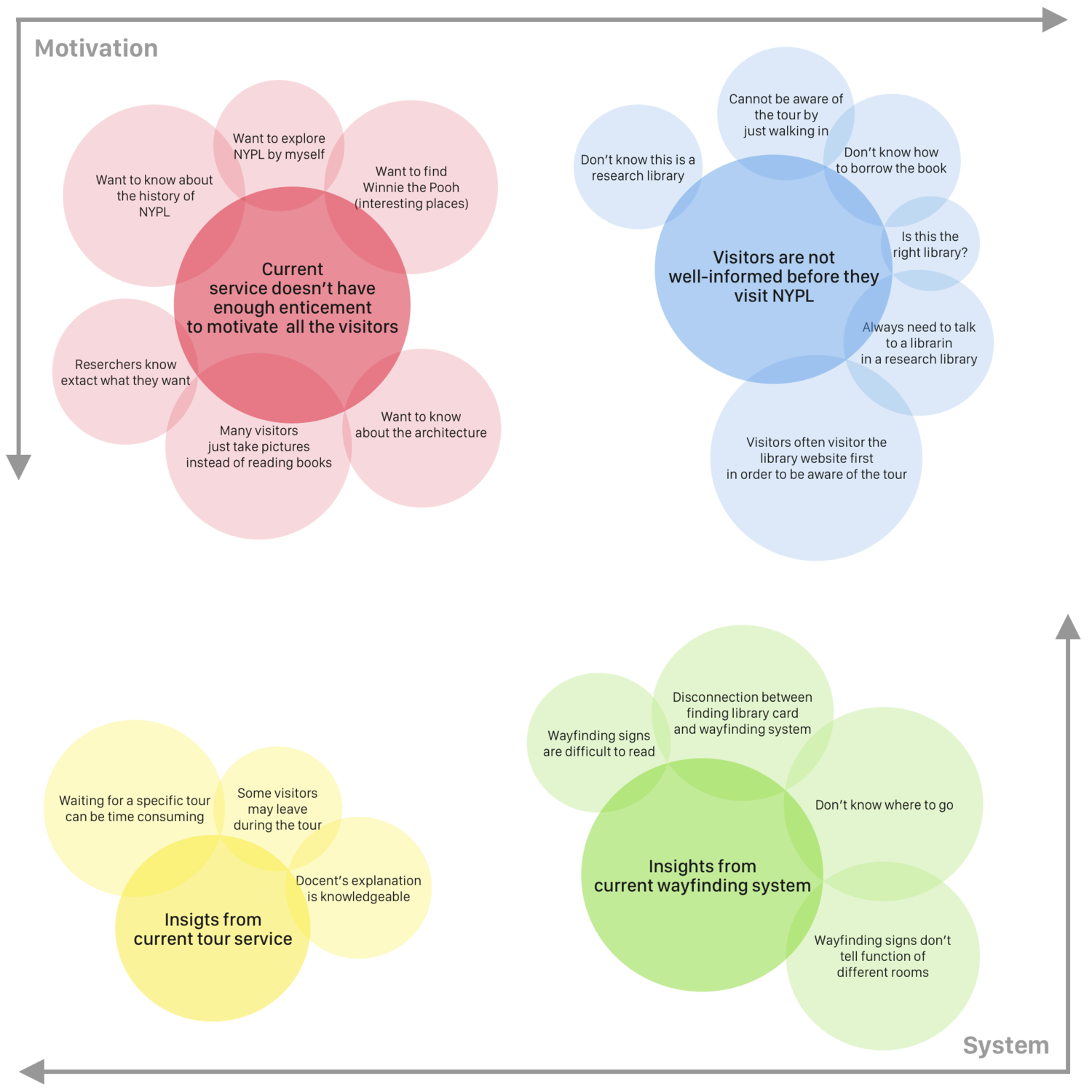
After performing our background and field research, we pulled all our information together so we could sort through it to find the insights.
Based on this process, here are some insights we found:
In summary - visitors are unaware of how to navigate and use the NYPL.
.png)
Based on our findings, we decided to prototype out an audio tour web app that would allow users to filter by their interests and be guided through the space in more flexible timeframes.
The salient attributes of this service is to motivate and teach visitors to use the NYPL.

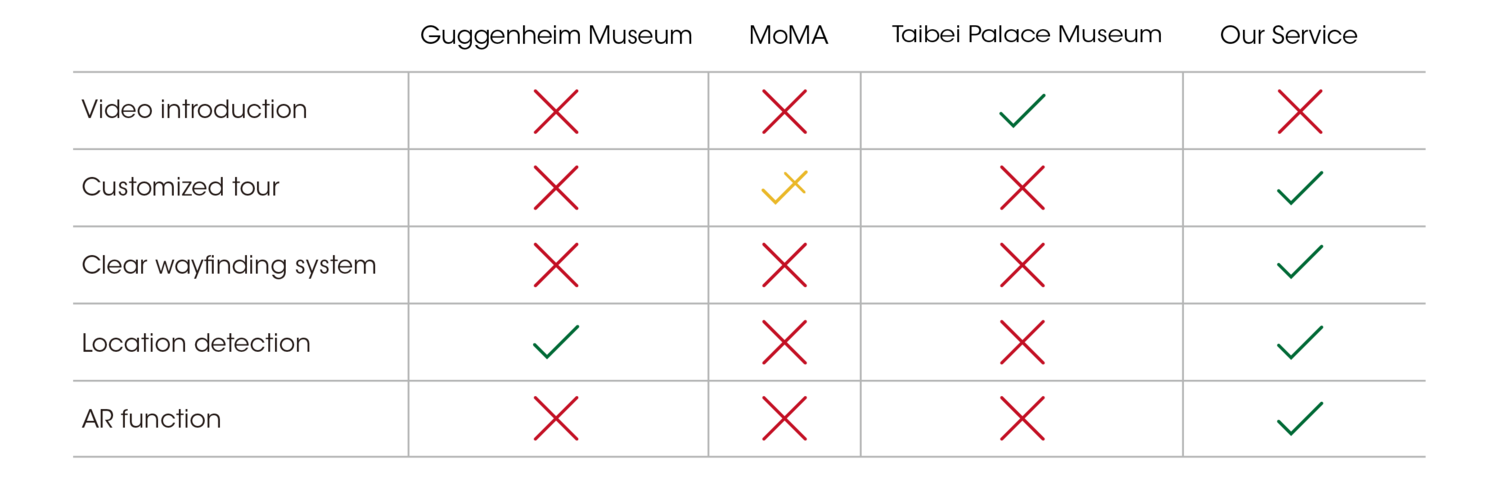
When looking at the plausibility of our solution we considered other museums that offer self-service audio tours:
In our research, it was unclear whether these other self-service tours have customized topics or allow users to set the duration of the tour. If not, this would be a clear differentiator of our offering and would be an innovative addition.
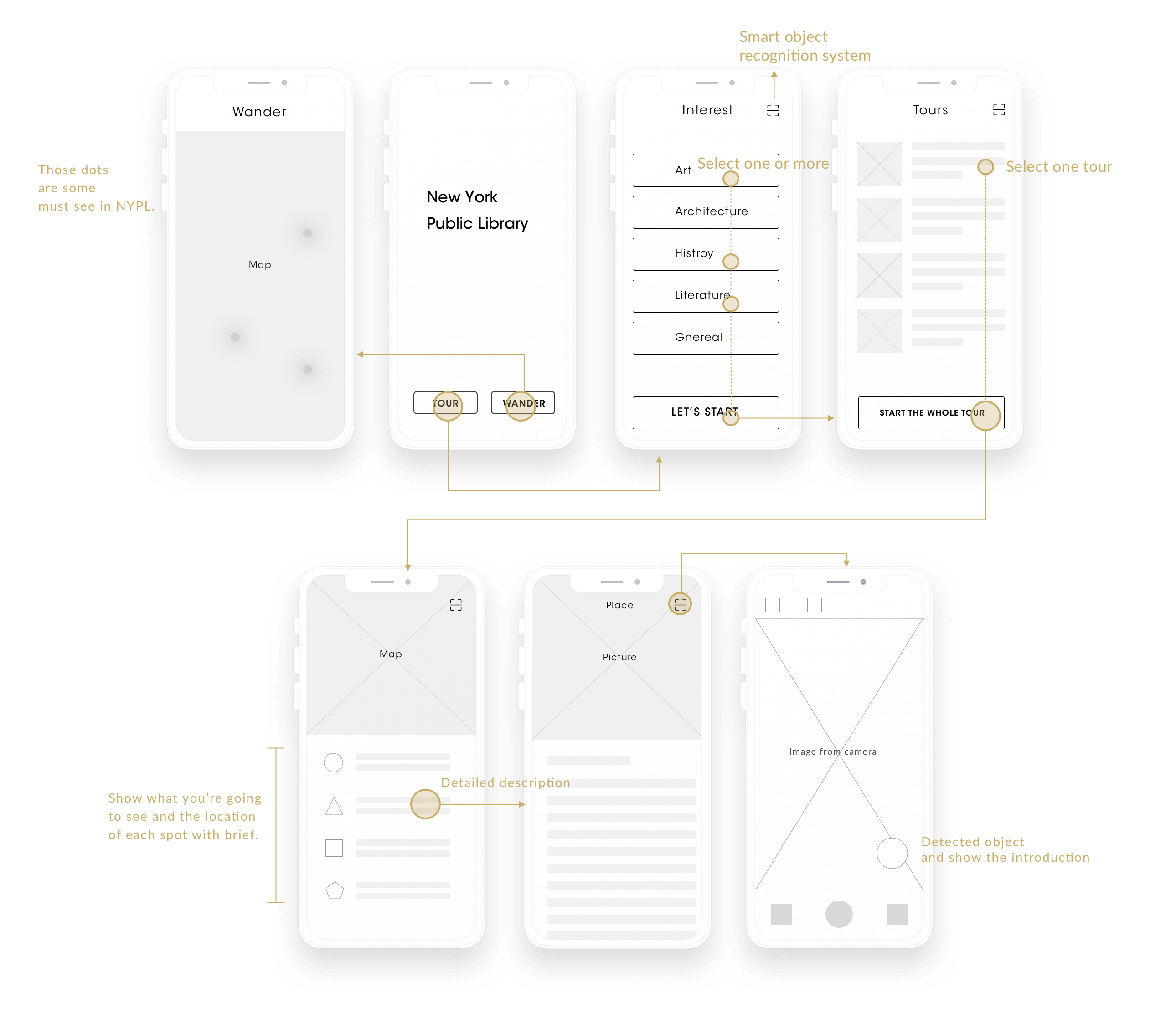
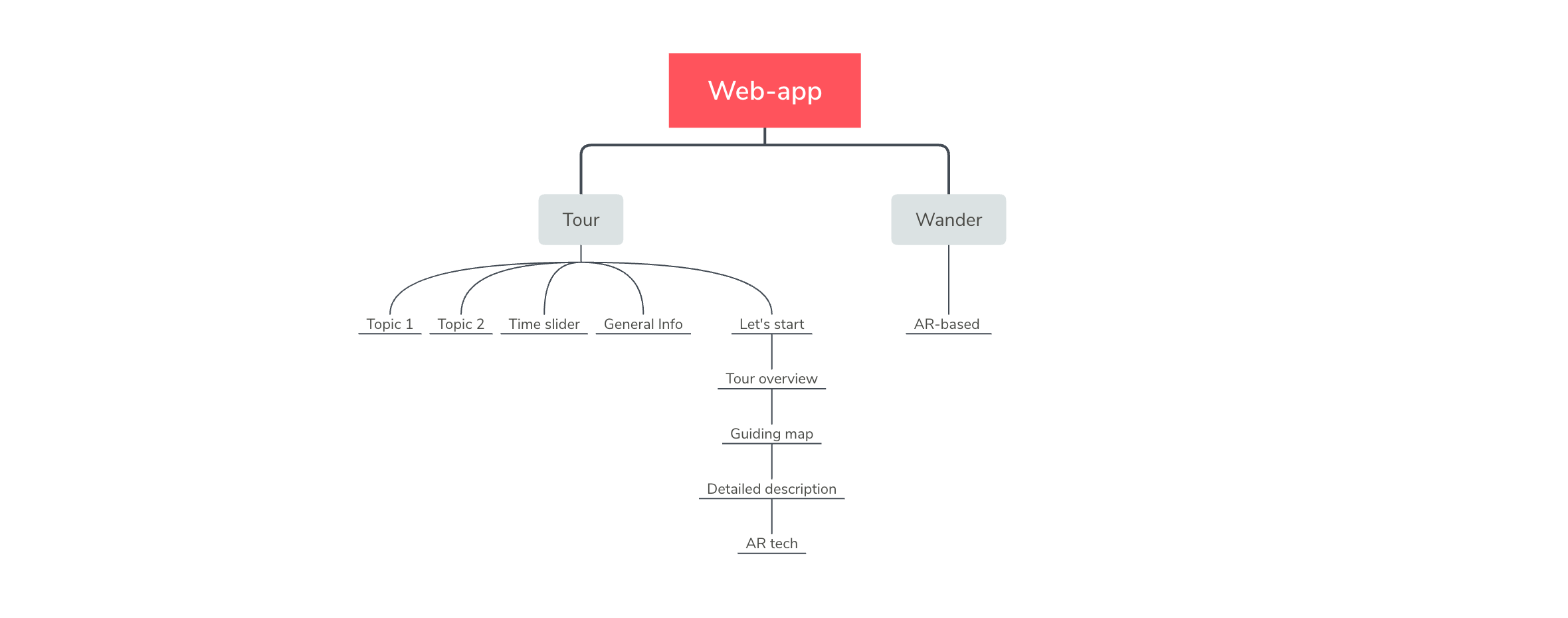
Here is the information architecture of our web-app, and you can see the flow work of this web-app.
Our storyboard demonstrates the use case of this solution
For more in-depth documentation of the process see below the line.
No.1 To start, users can choose if they’d like to follow an audio tour by clicking “Tour” or “Wander” Mode to explore NYPL by themselves.
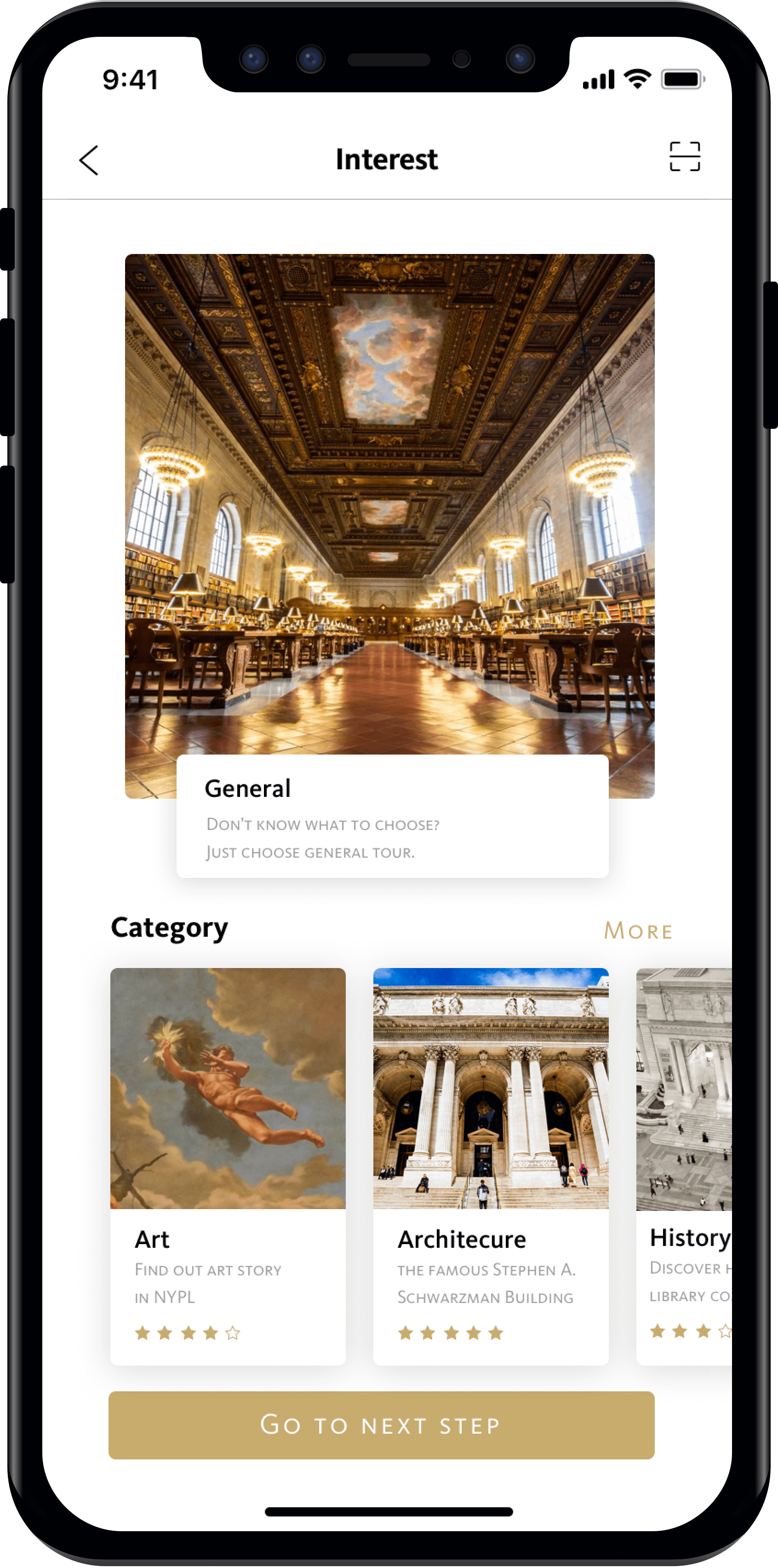
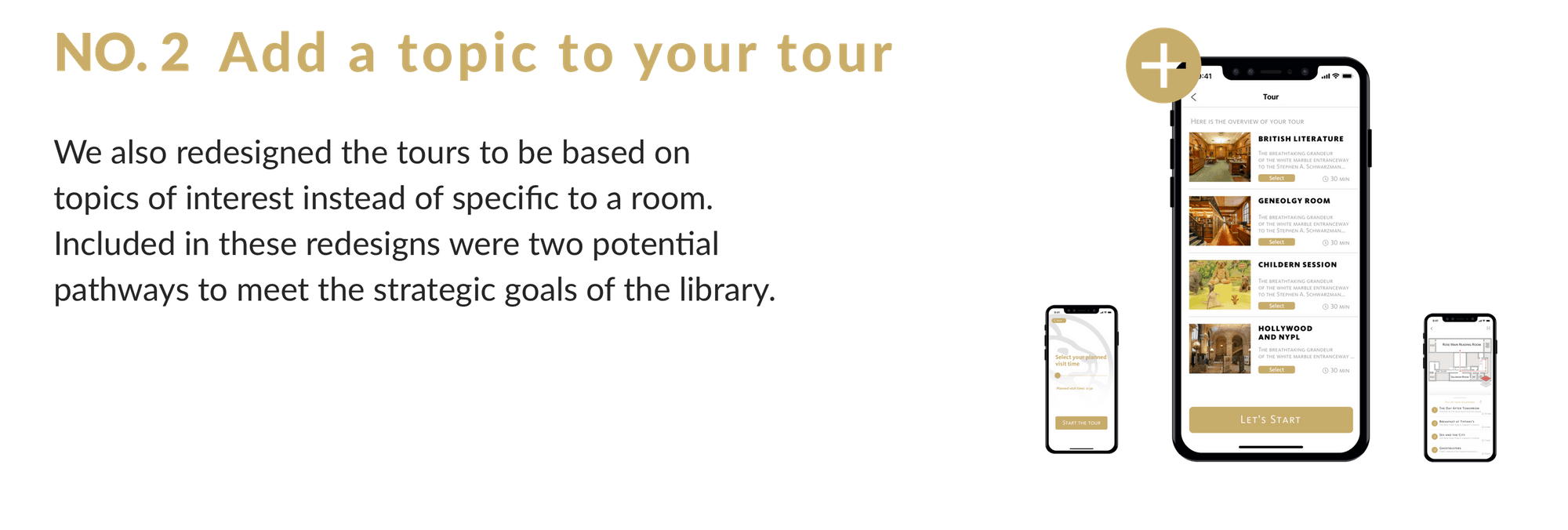
No.2 If users choose “Tour”, they can select topics of interest and duration of tour.
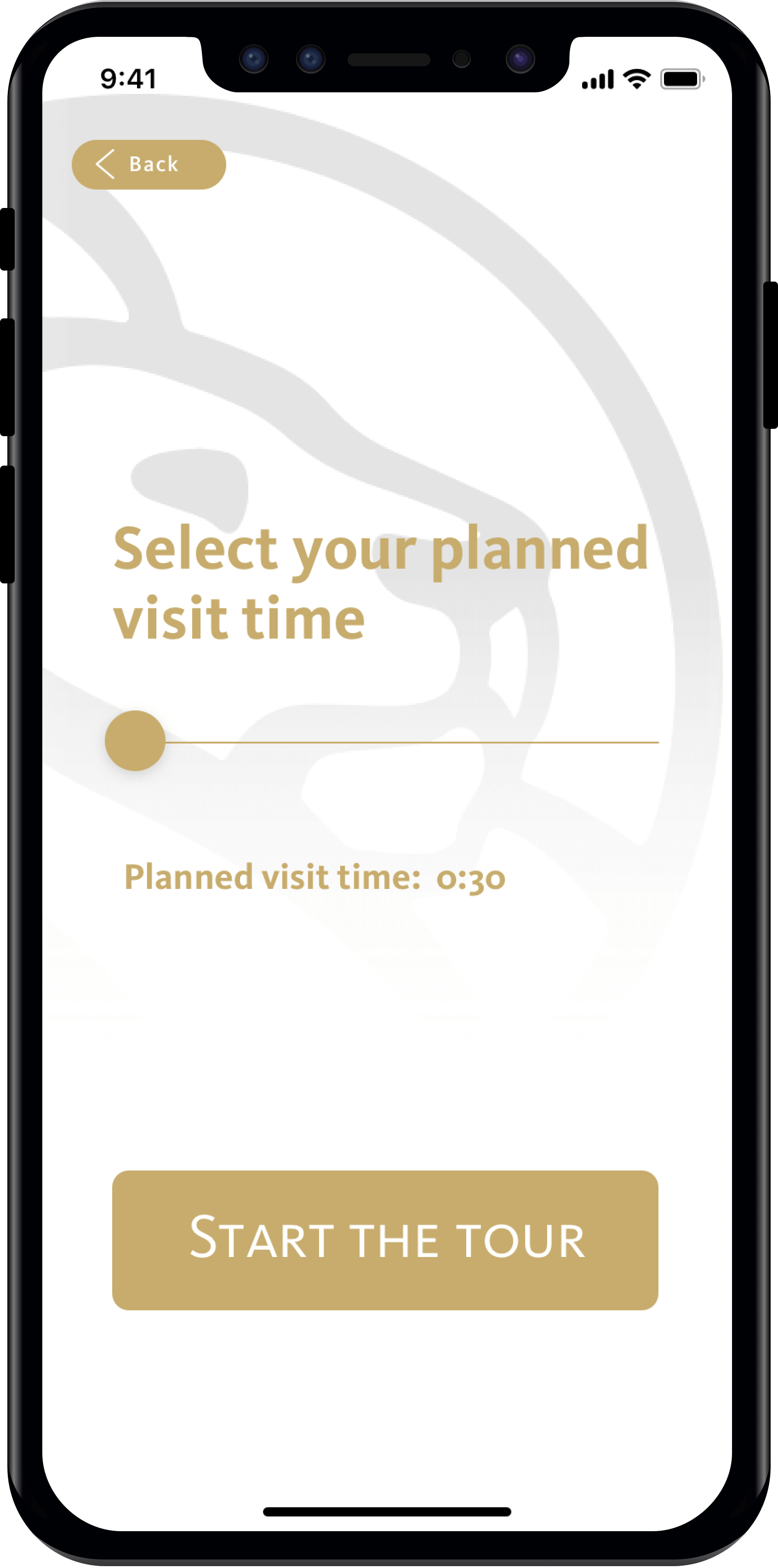
No.3 The app will then filter tours relevant to their selected interests and duration.
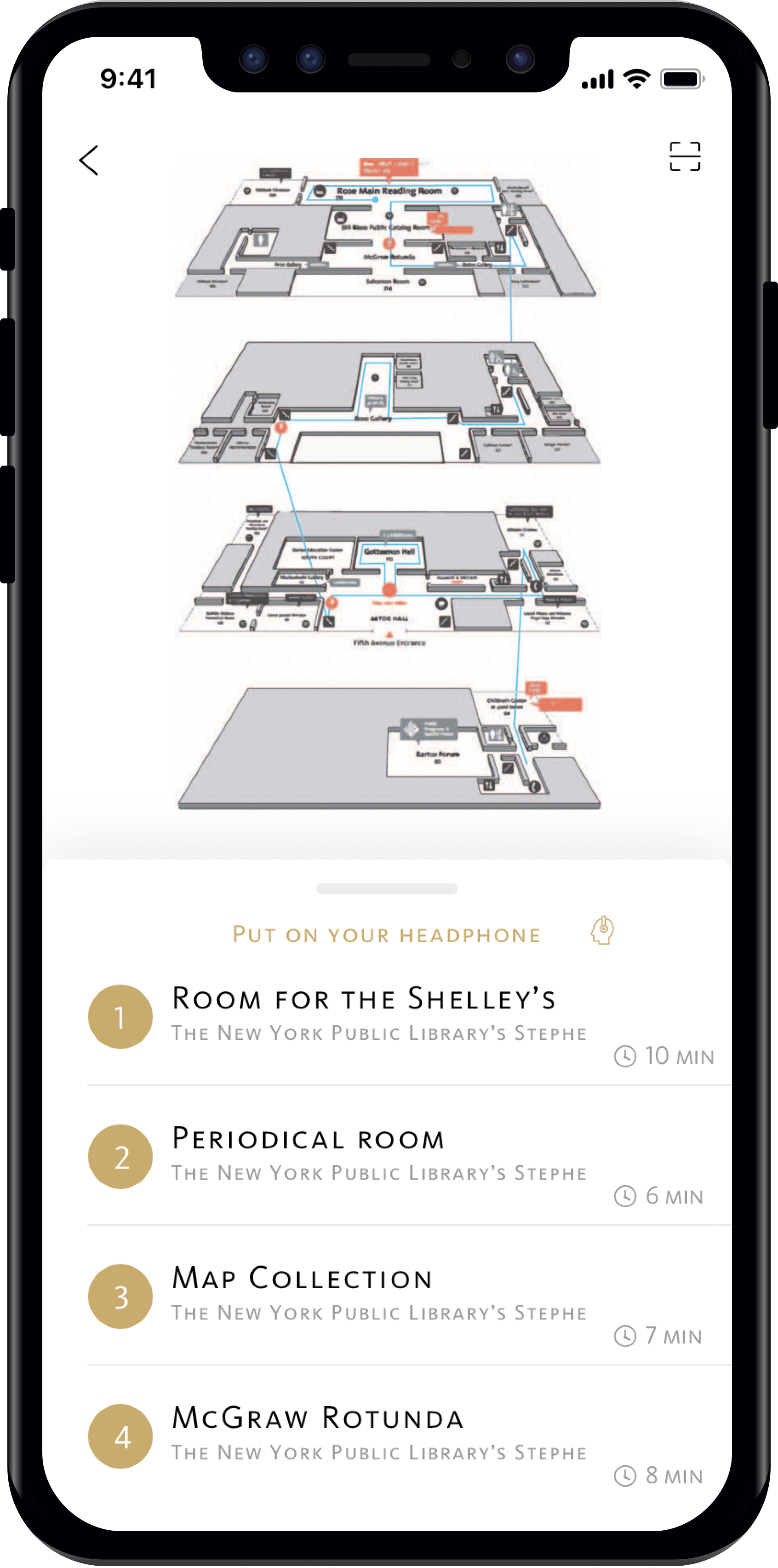
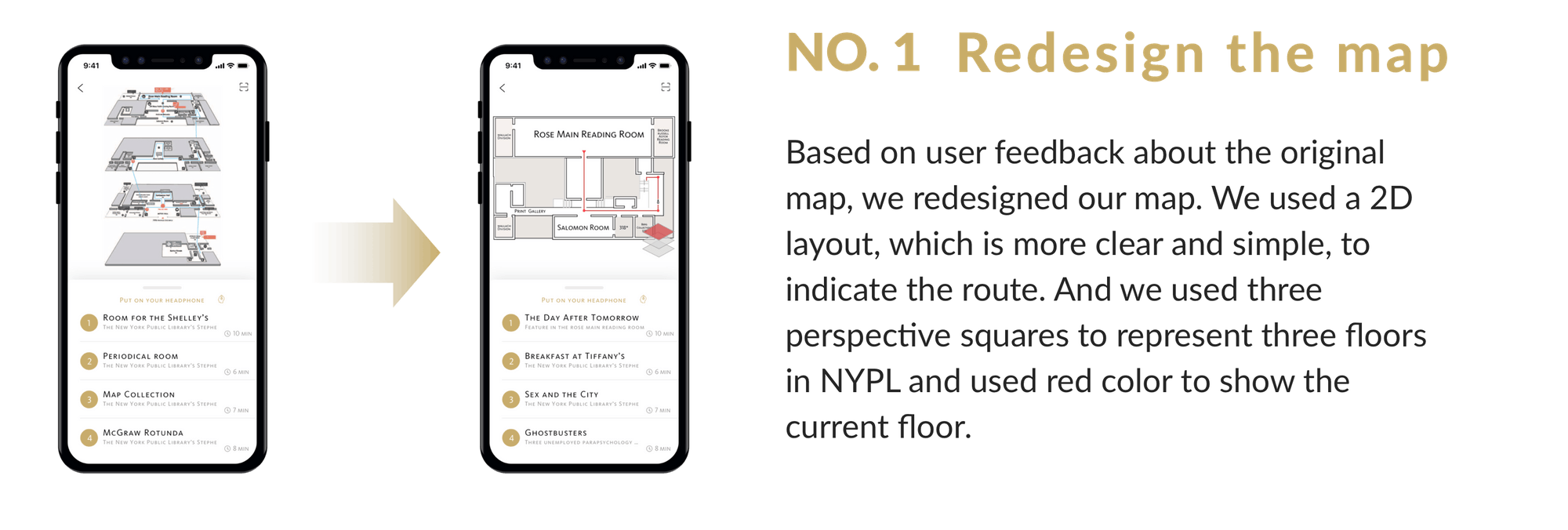
No.4 Before the tour starts, users will see a map that displays their current location and their route for the tour.
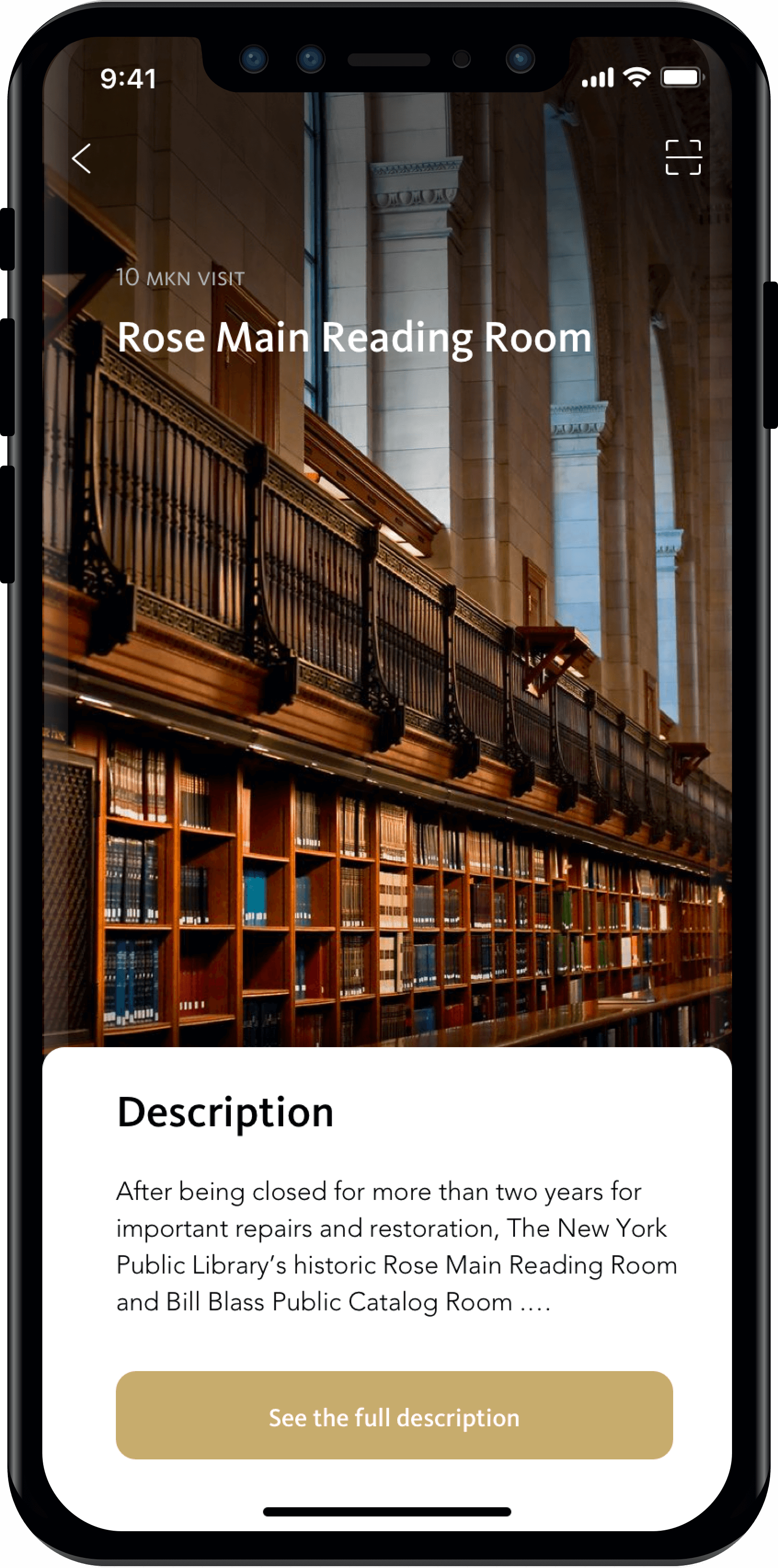
No.5 If they press any specific location’s icon, they can see the detailed description of this place or room.
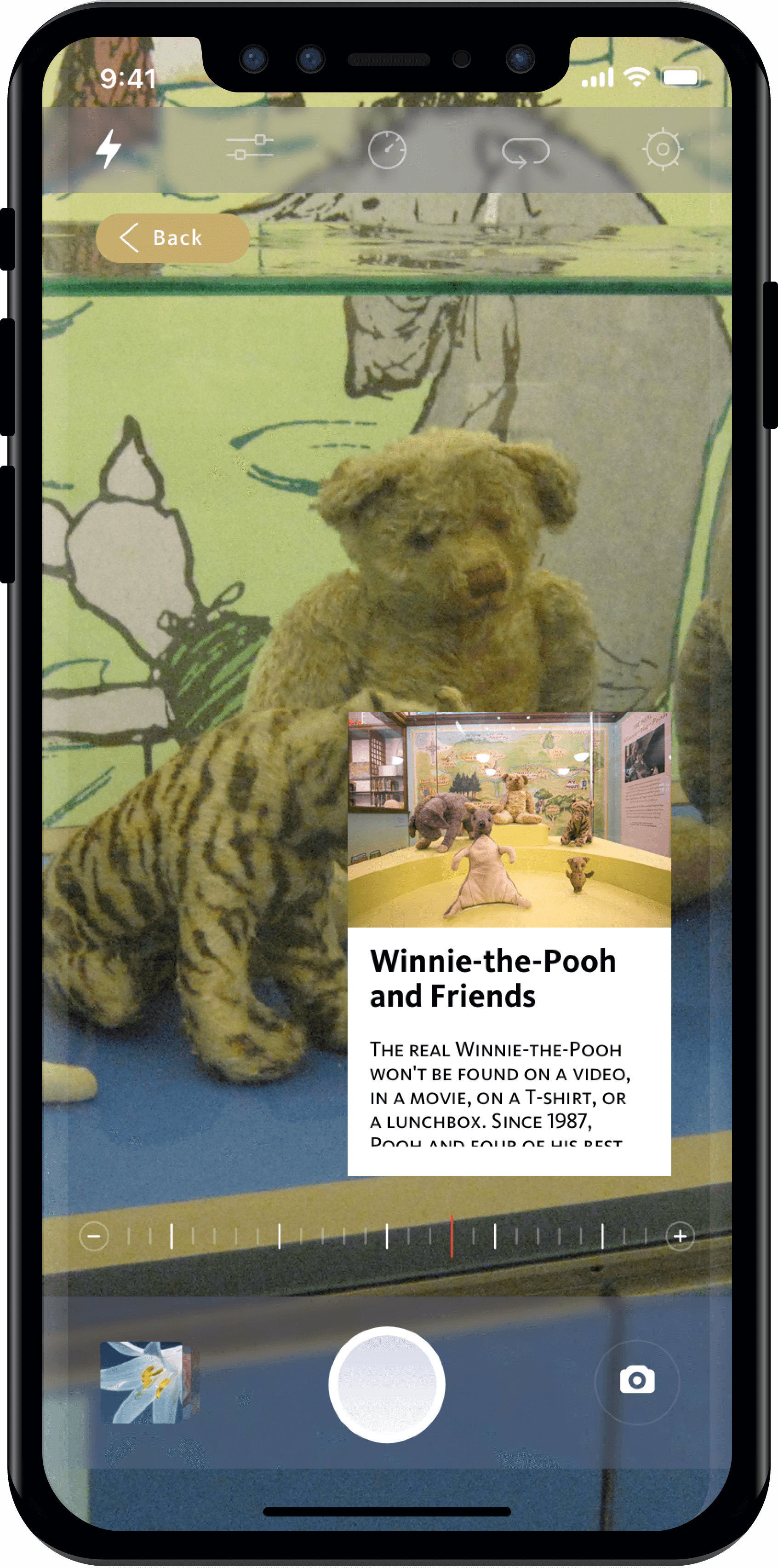
No.6 The “Wander” option is an AR based service that allows visitors to scan notable objects in the library and receive back identifying information about the object.
We built a prototype of our new tour offering and tested it at the New York Public Library. We tested the app with various library visitors ranging from New Yorkers to foreign visitors.
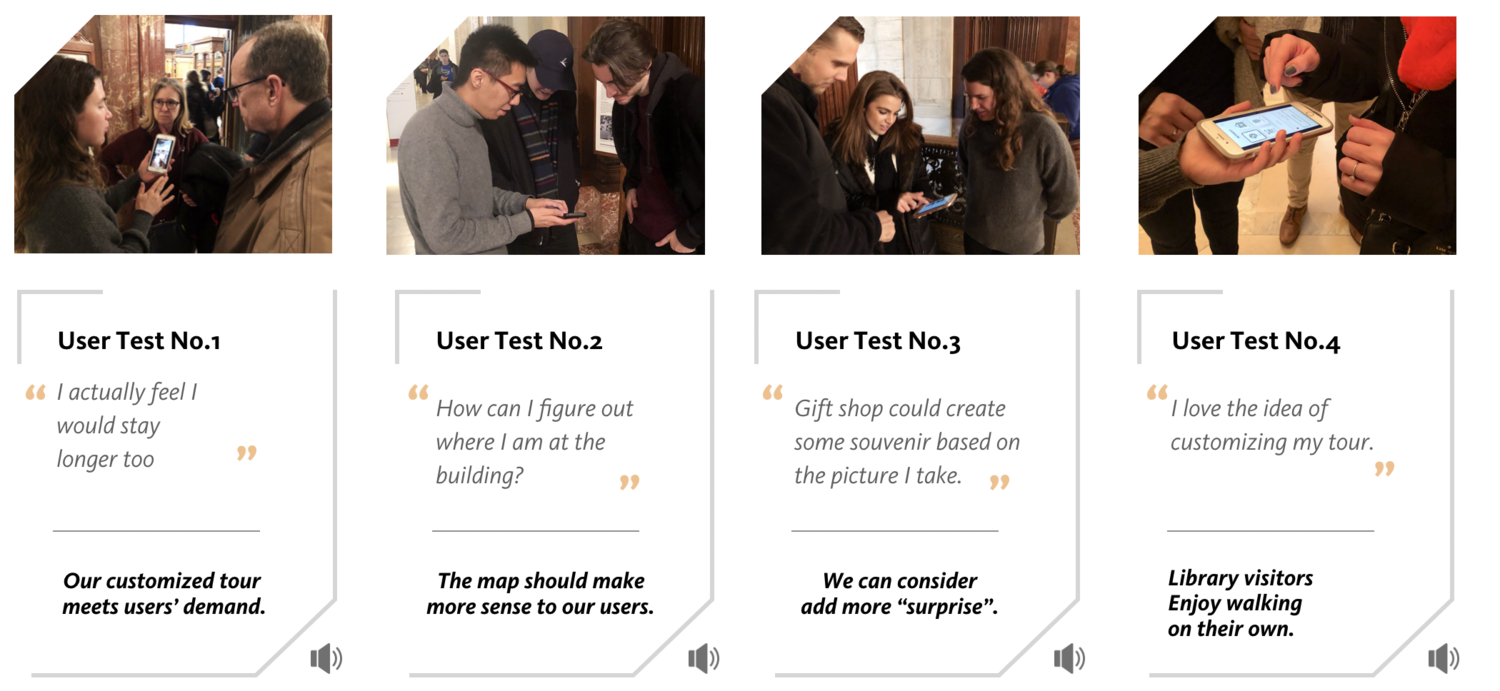
After testing, our users shared a desire to be able to select a more tailored audio tour options, that they felt this web-app empowered them to explore the NYPL, and they were very interested in the “Wander” function. In addition they gave us some useful advice or ideas about where things were confusing in the current prototype.
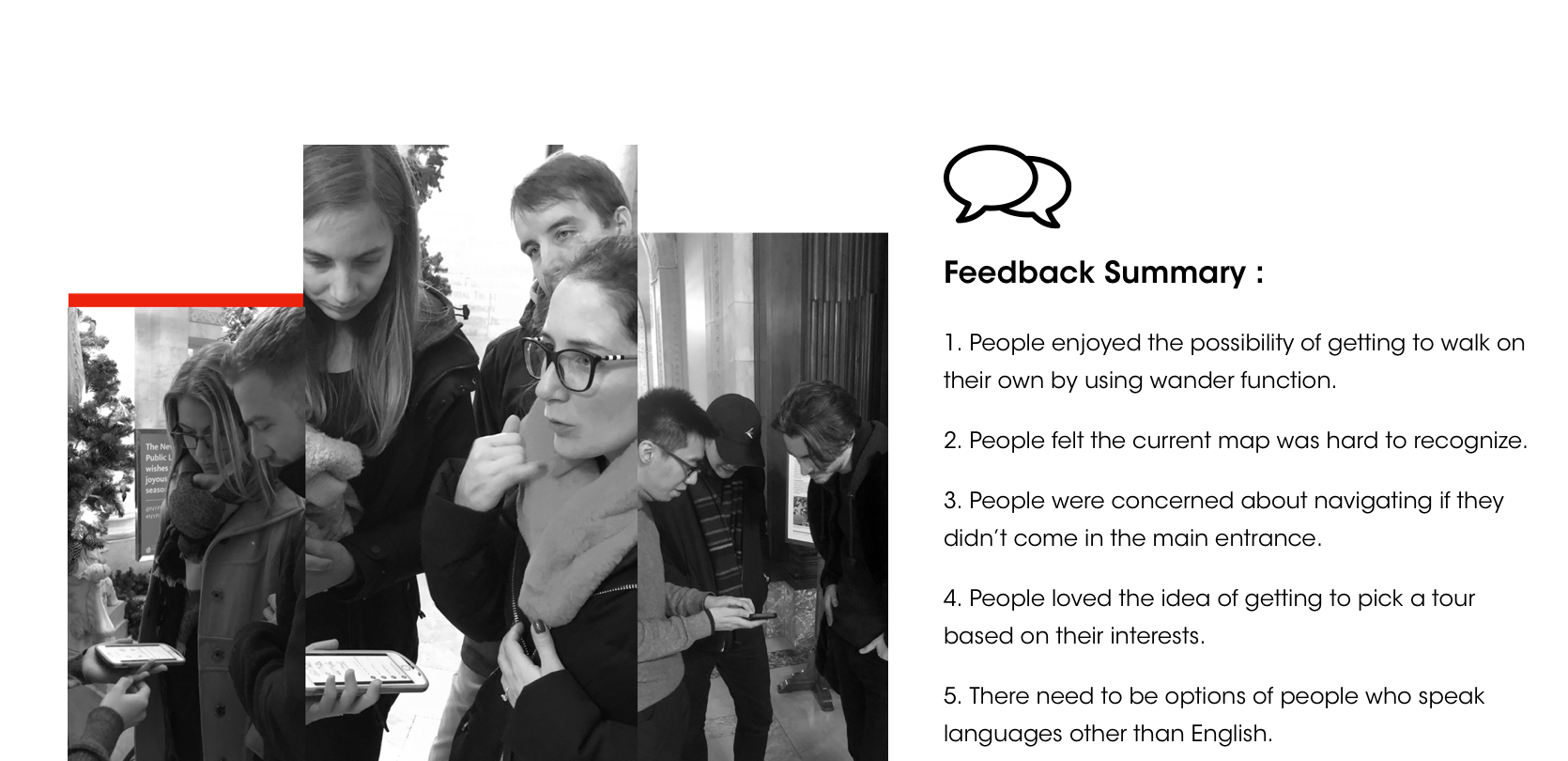
After developing the prototype we shared it with the New York Public Library librarian Ms. Misner to get her feedback. When we shared it with her, it prompted her to share a strategic goal for the library that we were previously unaware of: to turn more visitors into users of the library and its research resources. We incorporated this goal with our user feedback for our next iteration.
.png)
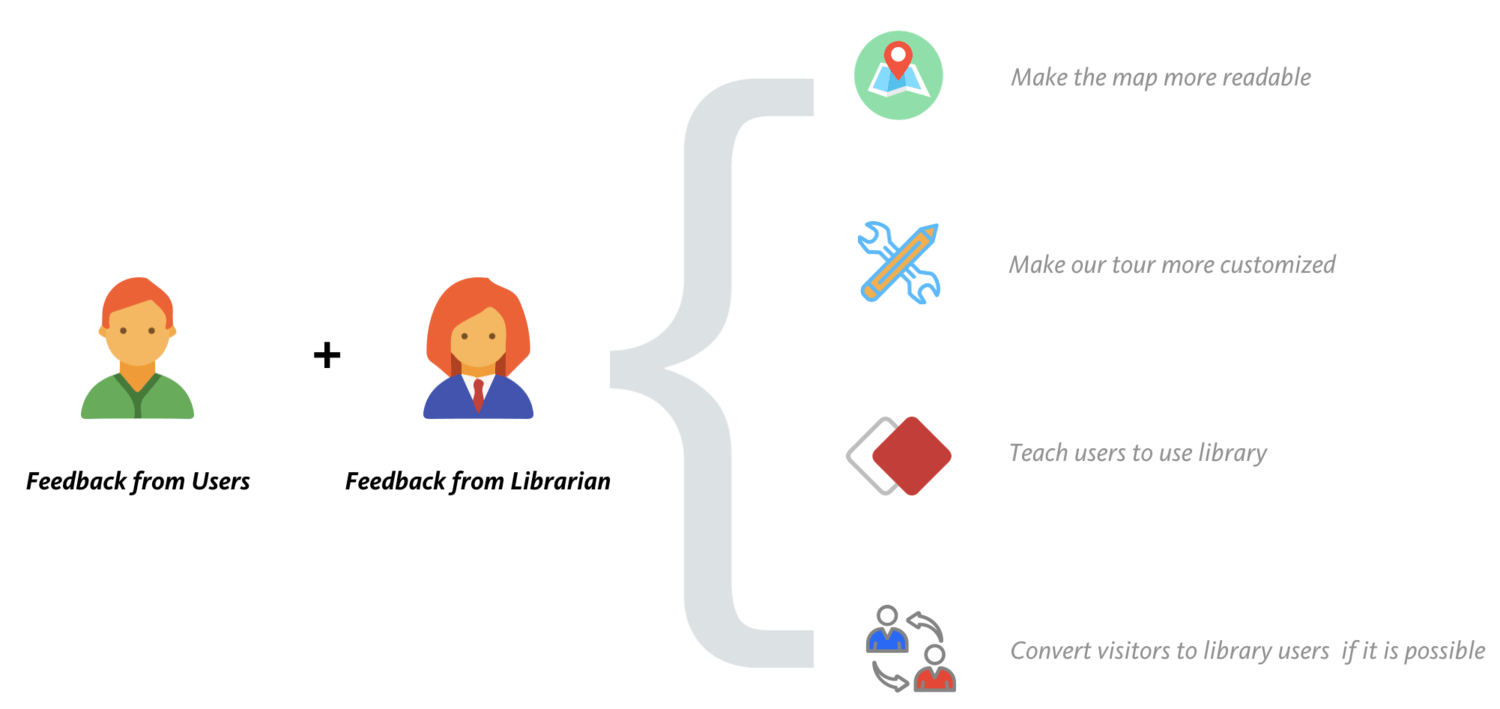
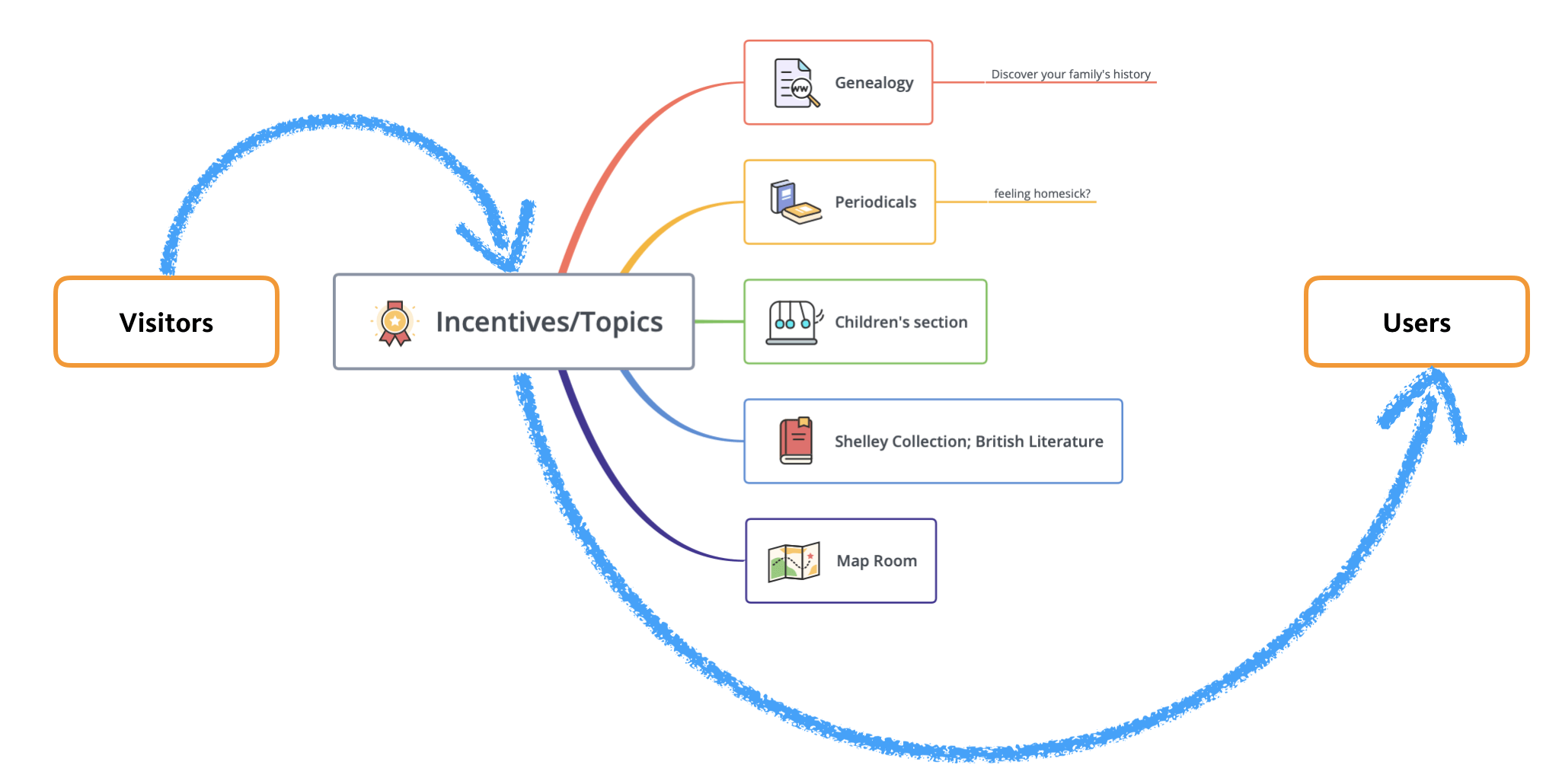
To meet the library’s strategic goal of converting visitors into users, we developed two potential buckets of tours – some for visitors to explore the history and “greatest hits” of the library and some to introduce visitors to resources that might interest them and then teach them how to use the research library.
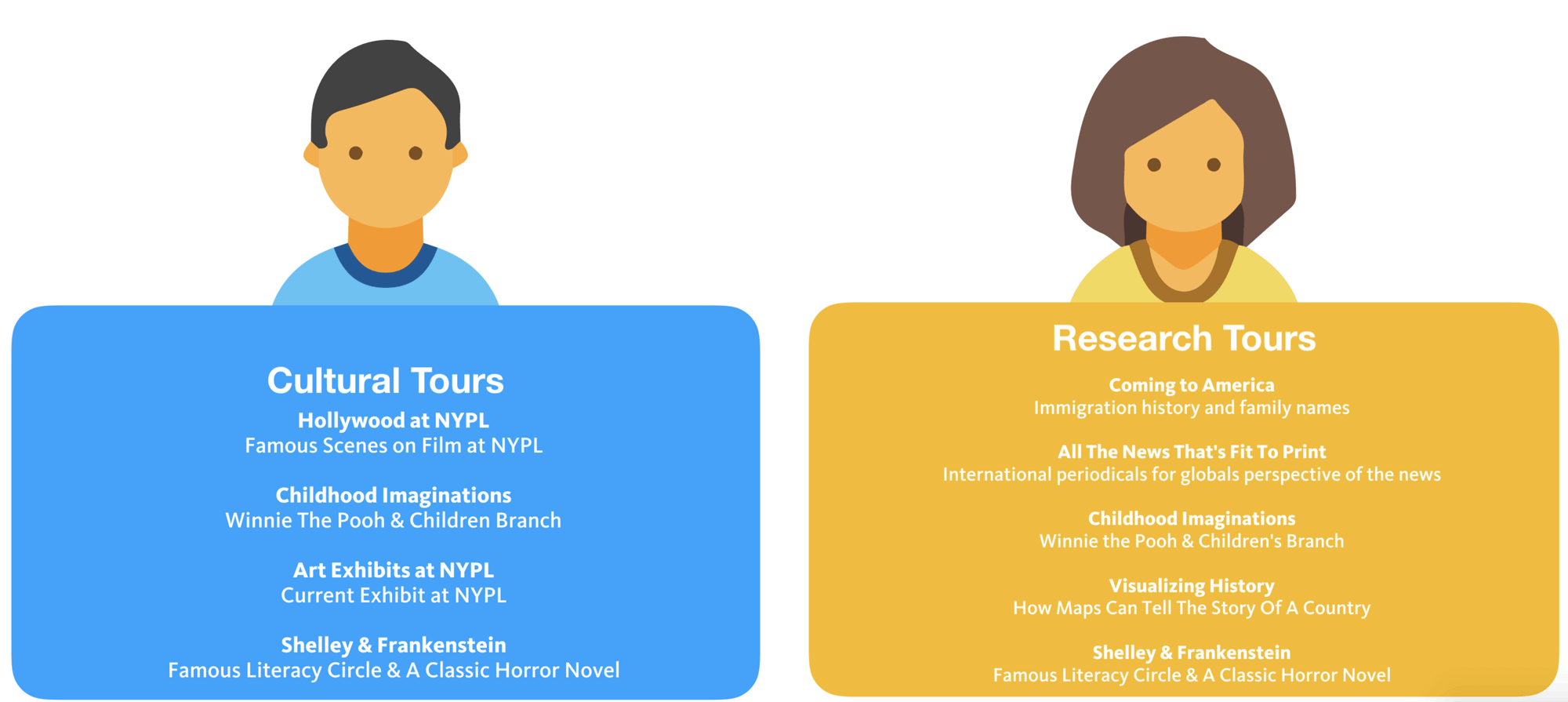
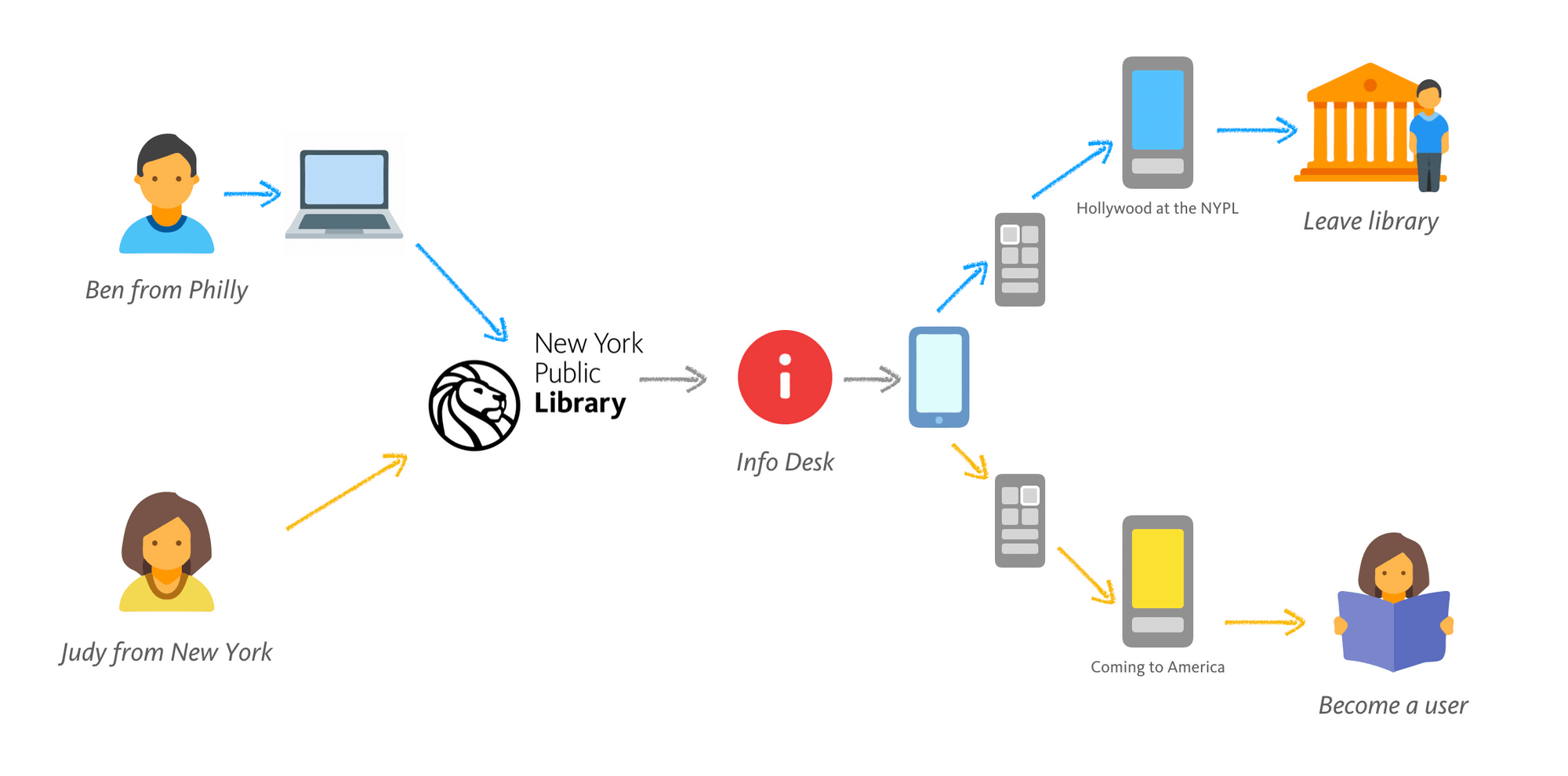
Ben from Philly represents visitors who are from out-of-town or just looking to hit the popular attractions of the library like the original of Winnie the Pooh or the locations of famous movie scenes filmed at the NYPL.
Judy from New York represents potential NYPL users. She can follow tours that teach her about the NYPL genealogy section where she can explore her family history.
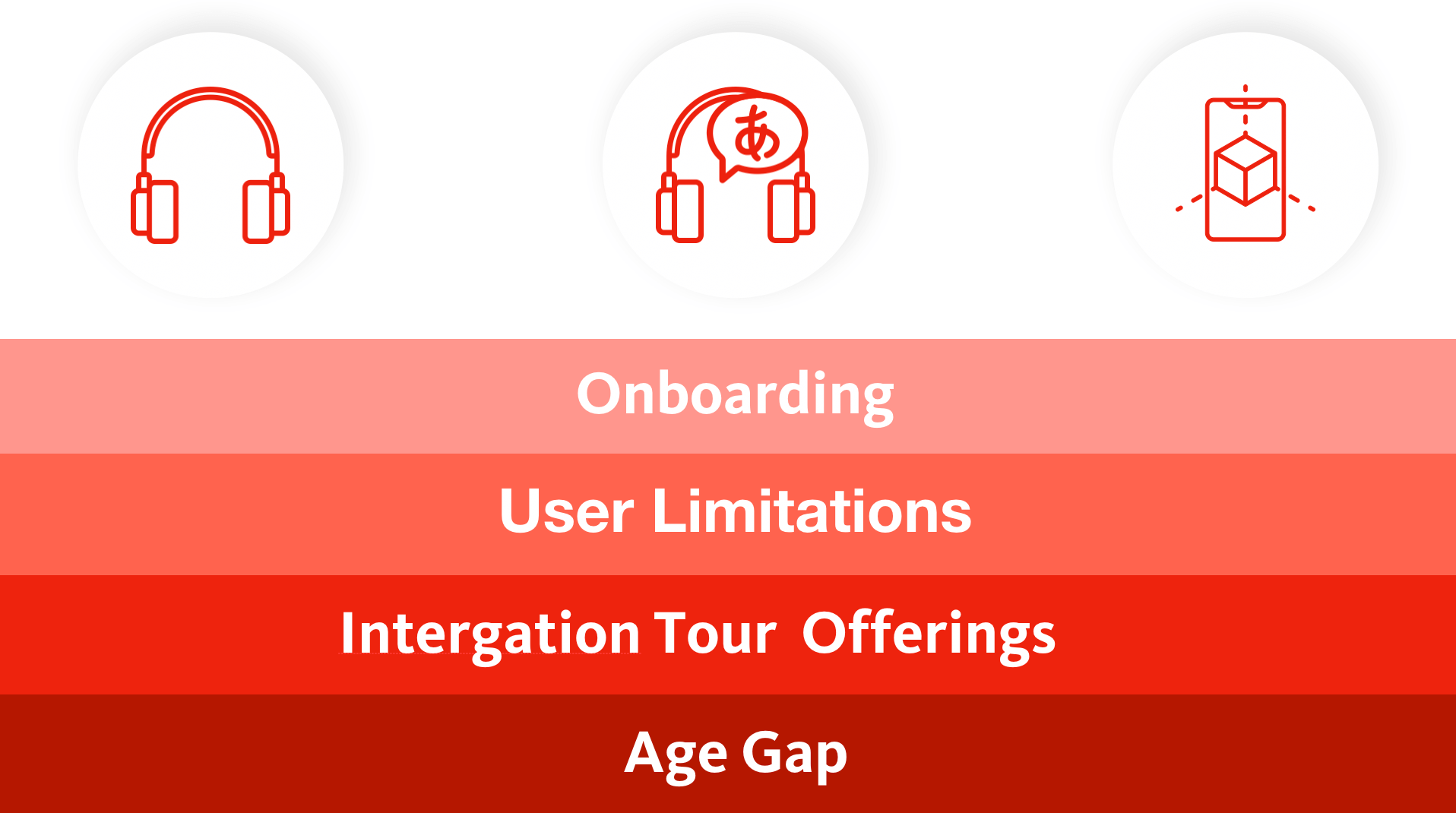
Risk: some visitors may find the technology difficult to use
Solution: train volunteers to assist with the web app
Risk: limitation of languages for multicultural visitor population
Solution: accept this risk and create tours in the 5 languages they currently use for audio tours
Risk: visitors who enter the library at different entrances may struggle with navigating the web-app.
Solution: clarify visual wayfinding and use auditory instructions to direct visitors through the library.
Risk: docents might feel replaced by the new app.
Solution: mitigated through this being a complementary offering and inviting docents to record some of the tours based on topics they are interested in.
Risk: visitors may not have a smartphone or be knowledgeable about how to use AR technology.
Solution: accept this risk, especially as there are other tour offerings available still.
Based on our feedback from our first round of testing, we would want to conduct more user tests to better understand the onboarding process and evaluate whether users find the entry point natural and useful, to test a higher fidelity of the upcoming features and pathways in the space, and to document and analyze both user and stakeholder feedback. In addition we would want to extend our user test to before visitors enter the library so we can determine how and if they become acquainted with our web app.
If our second round of tests can show that this app would hit the strategic goals of the library as well as the user needs, we would work with the library to set up a fundraising campaign for this new offering. In addition to fundraising, we may look at including investors and potential partnerships.
During this project, I felt like an interaction designer is not merely a problem solver but also a problem seeker. I love reading, and I call the library a second home. Besides being a designer, I am also a user. So as a user, I would find there many hidden problems are waiting to be solved. But we cannot design a perfect solution just based on one person's opinion.
Additionally, our team performed many rounds of user tests to capture enough consciousness of experiences. As a cliche, the earlier you make mistakes, the quicker you will find the right path toward a solution.